New BMW · iDrive 7 (MGU)
MGU Store, installed on your iDrive.
An app store on your car’s screen: browse, install, update and remove apps right from the iDrive. MGU Store is free and open source, made by Robert Nisipeanu. We don’t sell it. Our paid service is the installation work.
- Free software
- Apps install from the car
- Updates only when you choose
- Removable
 Waze on cluster
Your phone’s map, on the cluster and HUD.
Show the CarPlay map from Waze, Apple Maps or Google Maps on the instrument cluster, or Android Auto’s where the car supports it. The head-up display is an experimental option: pick Cluster, HUD or both, then set the size and position from the app.
Needs working CarPlay or Android Auto. By Robert Nisipeanu, with HUD support from eroobeeroo and wesleyredhat.
Apps
What you can add from the Store.
A selection from the sources the Store ships with. All of these are free, and you install only the ones you want.
Navigation
Waze on cluster
The CarPlay or Android Auto map on the instrument cluster, and experimentally on the HUD.
Performance

M Vitals
Live engine, thermal, intake, fuel, ignition, tyre and chassis gauges.

Drag Timer
0-100, 100-200 and 1/4 mile timer with best times.

Virtual Dyno
Power and torque curves from a full-throttle pull, saved and compared.
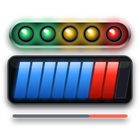
Redline
Full-screen rev tach with shift lights, gear and shift scoring.

G-Force
Friction circle with grip envelope, peak g and session records.
Brake Test
100-0 and 200-0 braking distance, peak deceleration and brake fade.
Car health

Fault Scanner
Read and clear the fault memory of every control unit, plus Check Control messages.

Live Data
Read-only live values, a trip computer with fuel cost and your own gauge screens.

Service
Oil, brakes, brake fluid, vehicle check and inspections, with distance and date left.

Warm-Up
Time until oil and coolant are ready, a safe rev limit and turbo cool-down.
eDrive
Real electric range, battery health, live power and a charge log for hybrids.
Fun

Doom
Freedoom: Phase 1 across the whole screen, on the iDrive controller. For when you’re parked.
Apps above by cauliflowermossgrape (MIT License). Names and icons belong to their authors. Availability depends on the car and the app’s current release.
The apps are unofficial. Use them parked or on a closed track, and keep your eyes on the road. Fault Scanner can clear the fault memory of every control unit, so read the codes first.
iDrive 8 cars also get IterioDev’s car-apps: Car Data, Drag Timer, Drive Recorder, eDrive, Fault Codes, Live Adjustments, Overlays, Service and Tailscale. Developed by IterioDev and RobertNisipeanu.
Installation service
The software is free. We do the work.
- 1
We check your car
Send us your VIN and we confirm that your car has an MGU head unit before you pay.
- 2
We connect and install
Remotely via TeamViewer, in about 20 minutes. You need a laptop, an ENET cable and internet on the laptop.
- 3
We show you it works
We check that the Store opens and install the apps you pick, so you can carry on by yourself.
FAQ
Good to know.
Which cars does it work on?
BMW with an iDrive 7 (MGU) head unit. MGU Store also supports iDrive 8, but its author has tested that only in an emulator so far, so ask us first.
Can I install it myself?
Yes. MGU Store is free on GitHub, along with its instructions. You need a computer, root SSH access to the head unit and some patience. Our service is for those who would rather have it done for them.
What gets installed on the head unit?
The Store and its updater, a deploy tool that performs each install and can roll it back, a renderer, Python, an internet uplink, and an app privacy component that keeps installed apps out of the head unit’s reports to BMW.
Does the car need internet?
To browse online, yes: over a USB Ethernet adapter, an LTE stick, a tethered phone or Wi-Fi. Without internet, apps can be installed from a USB stick prepared on a computer.
Can it be removed?
Yes. Apps and tools are removed from the Store’s own pages, and the deploy tool can roll back each install.
Do updates install by themselves?
No. The Store shows what is available and installs only what you choose.
Is it a BMW product?
No. It is an unofficial community project that modifies the head unit’s software, at your own risk. It is not affiliated with, endorsed by or supported by BMW.