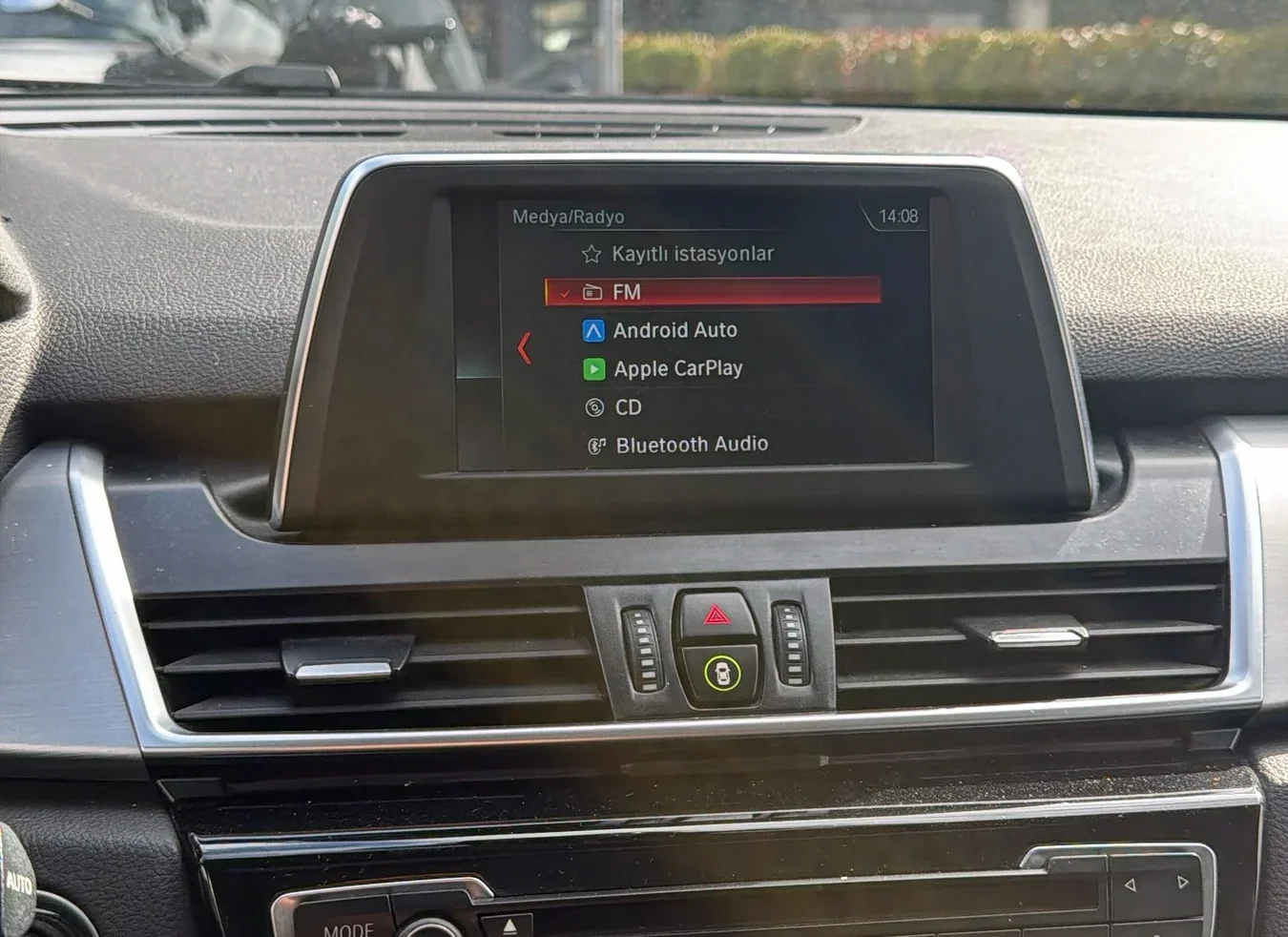
Wired CarPlay or Android Auto EntryNav2 (EntryEvo) Without WLAN Plug

CarPlay & Android AutoDigital download

Wired CarPlay or Android Auto EntryNav2 (EntryEvo) Without WLAN Plug

5.05 reviews

Price: €100.00

Wired CarPlay or Android Auto on your EntryNav2 screen

Works without a WLAN plug
Touch and iDrive control
Sound through the BMW speakers
No adapter box, just software
  • Digital deliveryFiles in My Account after payment
  • VIN-specificPrepared for your car
  • Secure checkoutPayPal, Apple Pay, Google Pay or Wallet

Configure yours.

Wired CarPlay or Android Auto EntryNav2 (EntryEvo) Without WLAN Plug

CarPlay & Android Auto · Digital download

Price: €100.00
Feature to install
0/17

Overview

Summary

  • Wired CarPlay or Android Auto on the original BMW EntryNav2 (EntryEvo) screen, even without a WLAN plug.
  • Connect your phone with a USB cable and control it with touch or the iDrive knob.
  • Each order includes one code for one feature: choose CarPlay or Android Auto during installation.

What you get

  • CarPlay or Android Auto on the original screen
  • One code for one feature. If you want both, place a second order to receive another code
  • Music and navigation prompts through the BMW speakers via Bluetooth connection. In our next releases, this will be via cable
  • No adapter box and no aftermarket screen, just pure software.

Is my car compatible?

EntryNav2 (EntryEvo) head units, with or without a WLAN plug

How to check your version

  • Unit with navigation : Navigation › Settings › Position & Version › Version information
  • Unit without navigation : My Vehicle › iDrive settings › Software update › Show current version

Supported software versions:

W2408C1R (24.11)

Supported iPhones for CarPlay.

Only iPhone 14, 15, 16 and 17 are supported, including the Pro and Pro Max models of each.

BMW sound

Music and navigation prompts play through the BMW speakers via Bluetooth connection. In the future, this will be via cable.

Control it with the touchscreen or the iDrive controller

  • This feature is in Early Access and, as far as we know, no one else offers it yet, so you may run into a few bugs.
  • For example, some areas of the touchscreen may not respond, and on some G Series models the iDrive controller may not work. Some black screens may appear as well.
  • If something doesn't work, please send us your VIN, your unit's software version and a short description of the problem.
  • Your feedback helps us fix bugs and improve future versions.

We're improving this with every update

  • There are many software versions, screen models, iDrive controllers and head unit variants, and we haven't been able to test every combination.
  • If you run into a bug after your purchase, please let us know.
  • Send us your VIN, your unit's software version and a short description of the problem, and we'll work on fixing it.
  • Our goal is to make this the most stable version on the market, and we're building it with our customers and for our customers.

If your version is not listed

  • Please update your unit to a supported version before installation.
  • If your version isn't compatible, your code stays valid and you can use it after updating.

Orders are not refunded because of an unsupported software version.

How installation works

  • Do it yourself: connect a Windows laptop to the car with an ENET cable and run the Infodem Installer
  • Or remotely: connect the laptop and ENET cable, and we do the rest over the internet

Reviews

5.05 reviews

Didn’t think I’d ever have Android Auto on this head unit without buying extra hardware haha. Really cool solution. The FlashXCode team was also quick to answer my questions.

Chris W.Verified owner

Dragos was great at helping me during the setup promptly. Very happy that wired android auto is working on entrynav2 on a 2018 car. Smooth and responsive and no issues yet.

Nurul A.Verified owner

Quick installation, good communication and CarPlay works as expected. Recommended.

Andrei C.Verified owner

Honestly wasn’t sure this would work since my car doesn’t even have the WLAN connector. But it does! CarPlay is now running on my original display. Great job guys.

James R.Verified owner

Finally got Android Auto working on my BMW without changing the original screen. Installation was pretty straightforward and everything looks factory. Really happy with it!

Share this page

Welcome to FlashXCode!We are here to help you!
FlashXCode Owner Dragos Usually replies within minutes

Hi! 👋 I’m Dragos. How can I help? Write your message and I’ll get it on WhatsApp.