At a glance
Directions right where you look
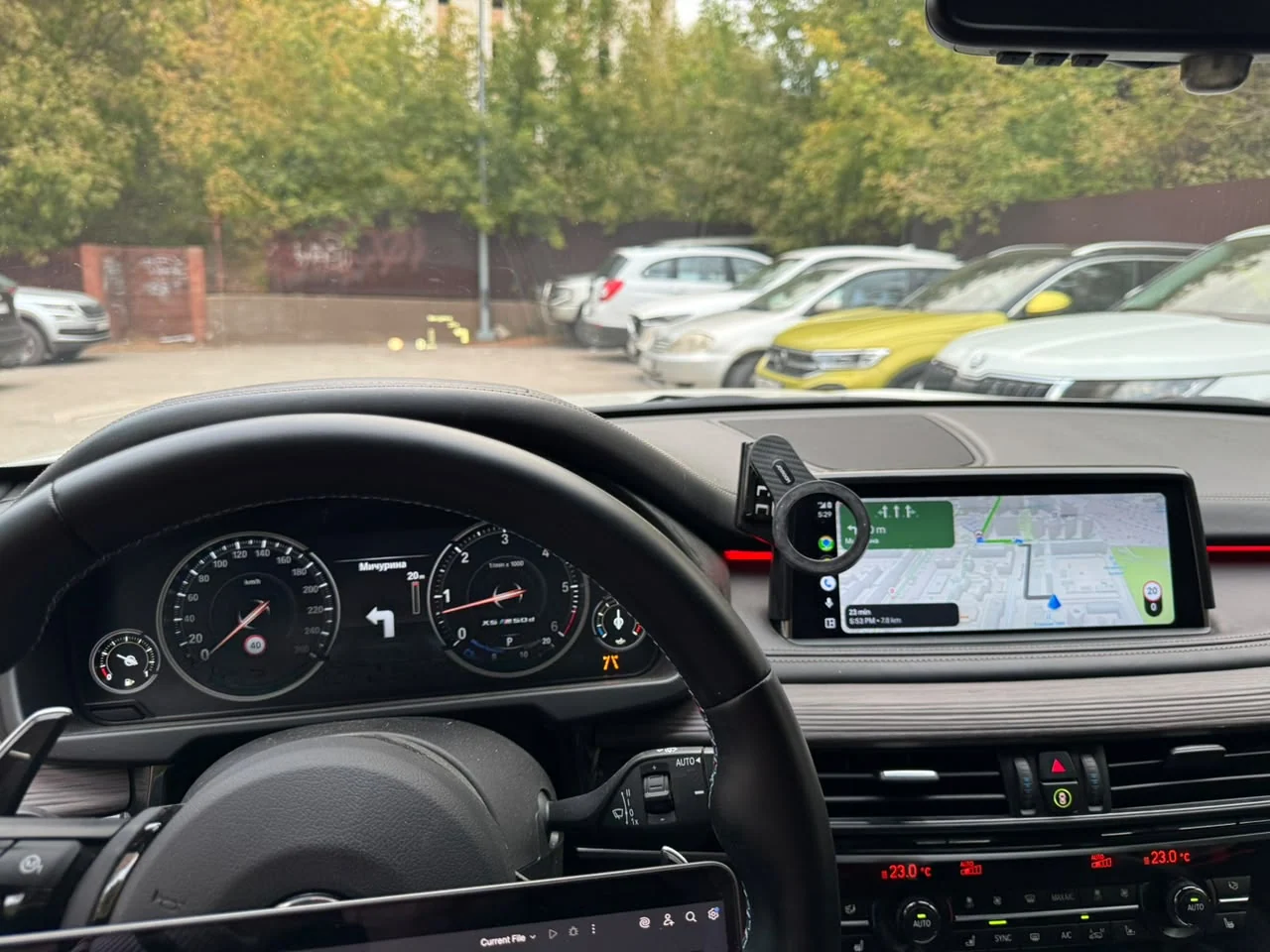
Bring turn-by-turn guidance from your iPhone to the BMW Head-Up Display, the LED digital instrument cluster, or both — in the same clean style as BMW’s own navigation.
- What you see
- Turn arrows, U-turns, motorway exits and roundabouts (with the exit number)
- Distance to the next turn, with a bar that fills over the last 300 m
- Street name — or a short description of the manoeuvre
- Lane guidance when the app provides it (Yandex Navigator), in two styles
- Day and night look matching BMW, including the red-orange night palette
- Your choice, in iDrive
- Where to show: HUD, instrument cluster, both, or as in BMW settings
- Show lanes, lane style, manoeuvre text, record the drive
- Starts with the car — no internet needed in the car
- Navigation apps
- Apple Maps — turns, distance, street names
- Google Maps — turns, distance, street names (lanes not verified yet)
- Yandex Navigator — turns, distance, street names and lanes
- 2GIS — turns, distance, street names
Waze is not supported for CarPlay-to-HUD yet.
Works alongside BMW navigation
While a BMW route is active it has priority on the HUD and cluster; CarPlay guidance comes back automatically when it ends. Only one route at a time.
- You need
- BMW F-Series with an NBT EVO head unit (iDrive 5/6)
- Wireless Apple CarPlay already activated and working
- A supported NBT EVO software version (N18092I, P18362I, Q18491I, S19221I, X20511I, Y21432J, Y22292I, Y24073J)
- Original Head-Up Display and/or LED digital instrument cluster (not the classic needle cluster)
- Installation
- We check your VIN and software version first
- You receive a personal installation code — or we install remotely with you
- A Windows laptop and an ENET cable, about 15 minutes; fully removable
This product does not activate Apple CarPlay. Need CarPlay first? See our CarPlay activation services.