

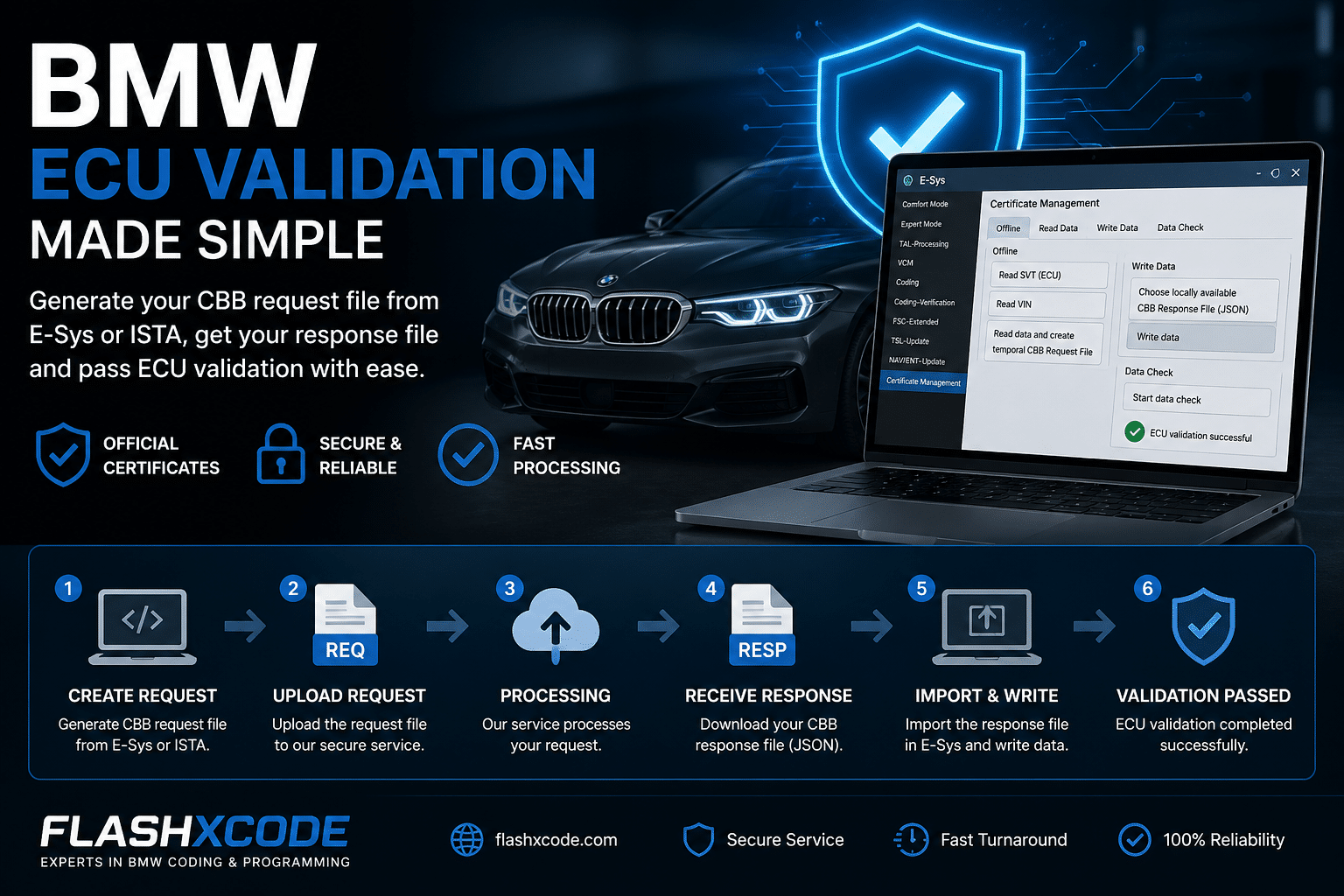
Description
ECU Validation via E-Sys (CBB Process)
Usefull for MGU, ATM2, Dkombi4 and others
Step-by-step procedure
- Access Certificate Management
- Open E-Sys
- Navigate to:
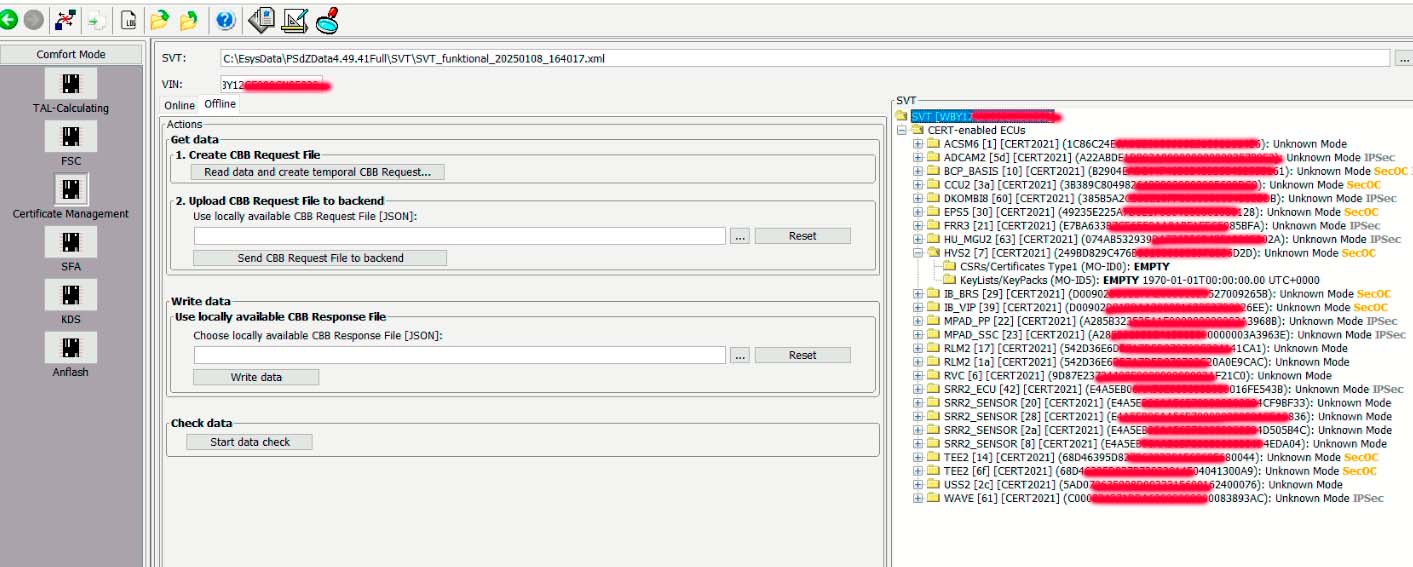
Comfort Mode → Certificate Management
- Read Vehicle Data
- Go to the Offline tab
- Click:
- Read SVT (ECU)
- Read VIN
- Generate CBB Request File
- Click “Read data and create temporary CBB Request File”
- Save the generated file locally
- Process Request File
- Upload the saved file to the order
- Wait for processing and download the CBB Response File (JSON)
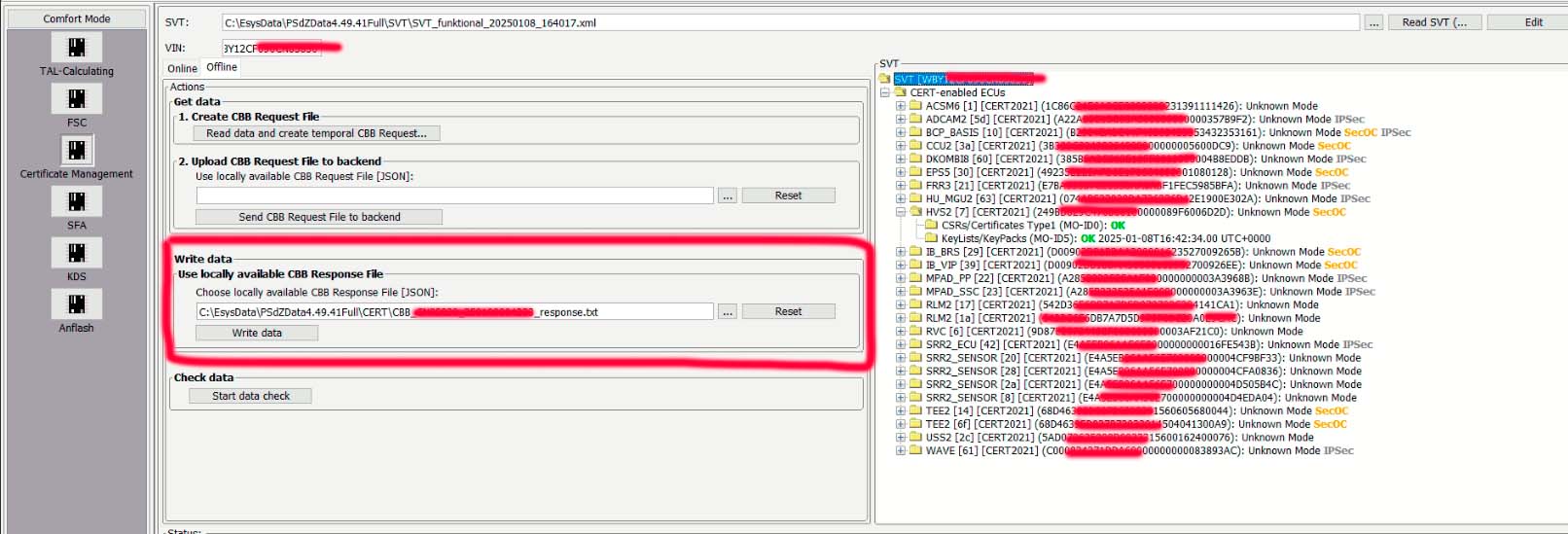
- Import Response File into E-Sys
- Return to E-Sys → Certificate Management
- Go to the Write Data tab
- Select:
“Choose locally available CBB Response File (JSON)” - Click Write Data
- Wait until the process completes successfully
- Validate ECU Status
- Click “Start Data Check”
- Confirm that ECU validation is successfully completed


Reviews
There are no reviews yet.