
CarPlay Activation Procedure for EVO units
Activate Apple CarPlay yourself with Feature Installer and the code you received from us. It takes a few minutes and a couple of reboots.
Before you start
- A Windows laptop connected to the internet and to the car
- The activation code you received from FlashXCode (format XXXXX-XXXXX)
- About 10 minutes, parked with the ignition on
-
Download and start Feature Installer
Connect your laptop to the internet, download Feature Installer, then start it.
Download Feature Installer -
Activate CarPlay
After you click Start, the procedure finishes in 1–2 minutes, with a few reboots of the unit.
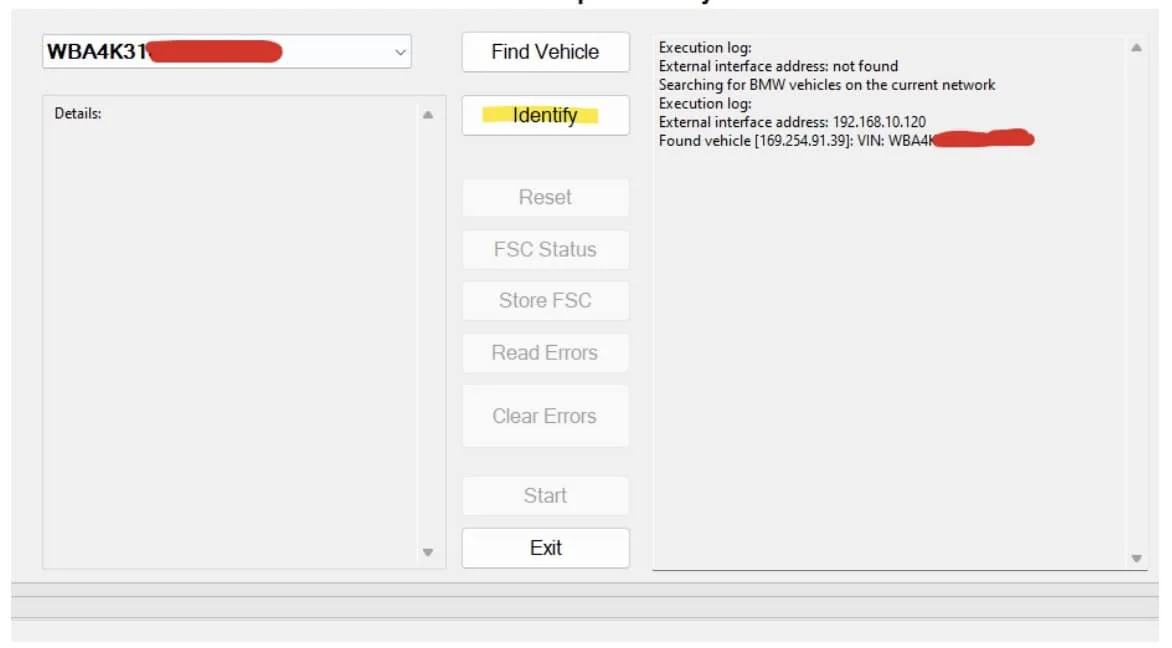
2.1Click Identify 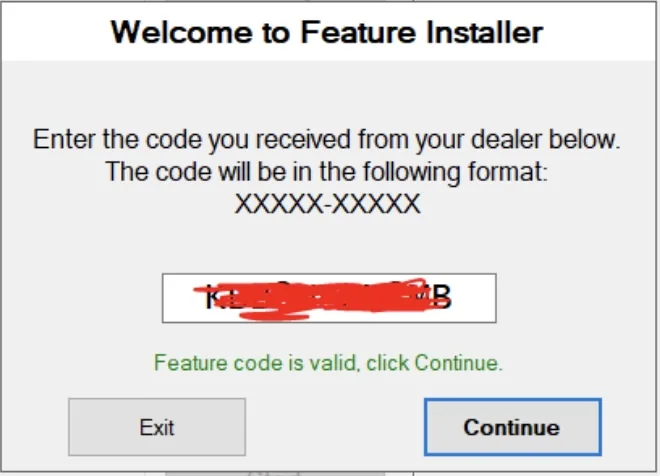
2.2Enter your code, click Continue and wait until the program reads your unit 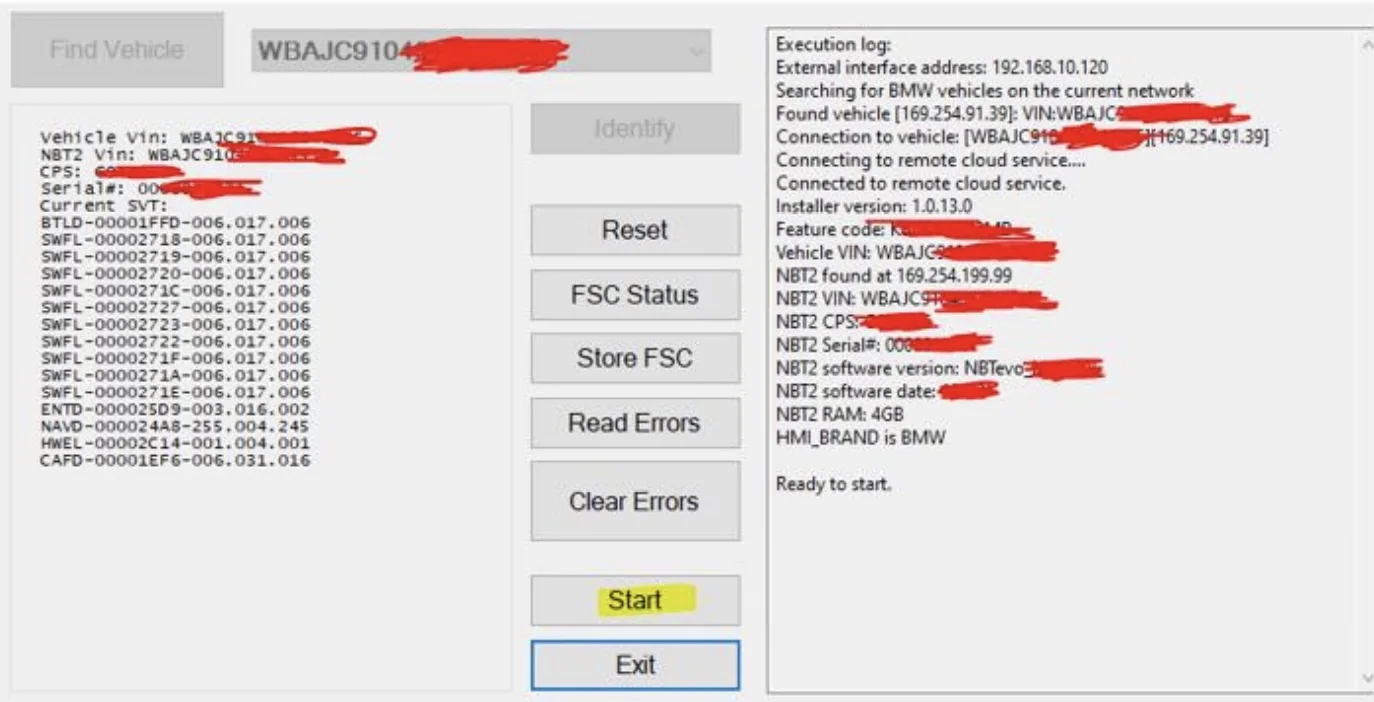
2.3Click Start -
Run it a second time
Wait 60 seconds. Click Identify again, enter the same code and click Continue. When it asks to restore the unit, select No. After it finishes reading the unit, click Reset. The unit reboots.
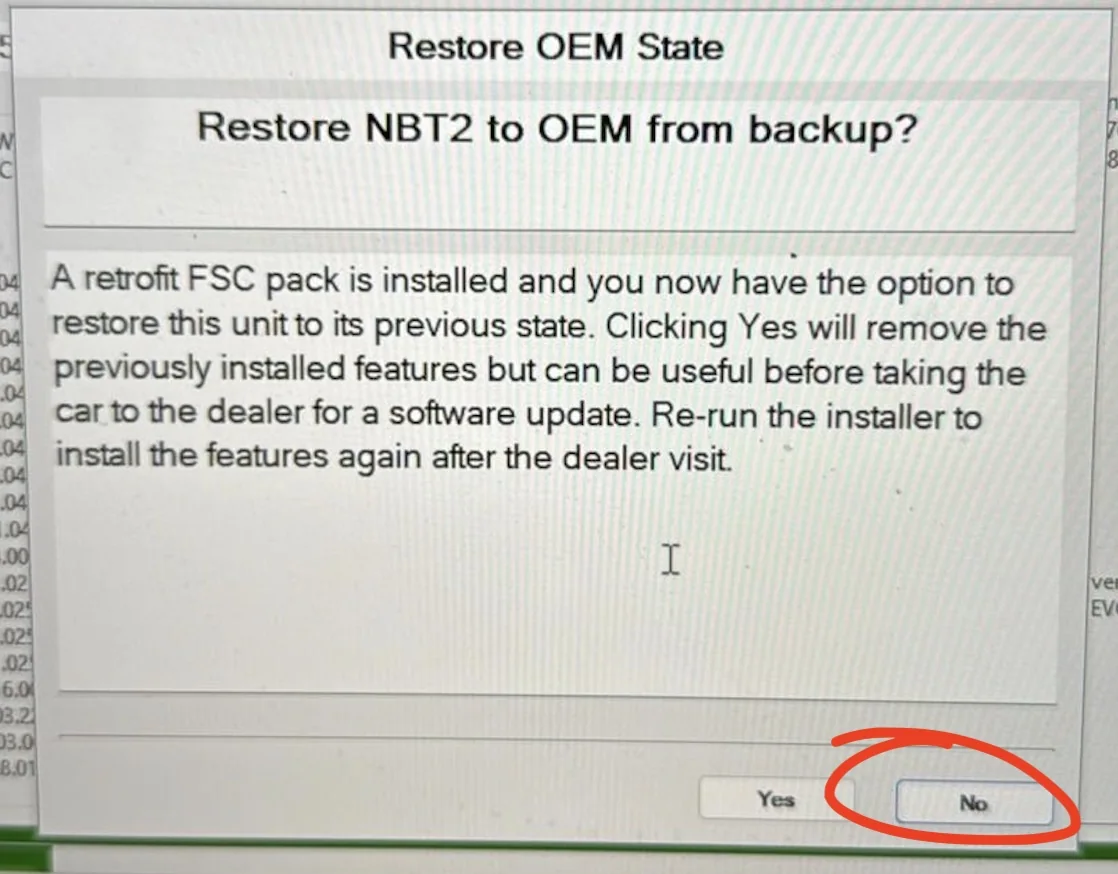
Select No -
Check for CarPlay
On the car display, go to Communication › Manage mobile devices › Connect new device. Apple CarPlay is now in the list. Enjoy your CarPlay, you deserve it!
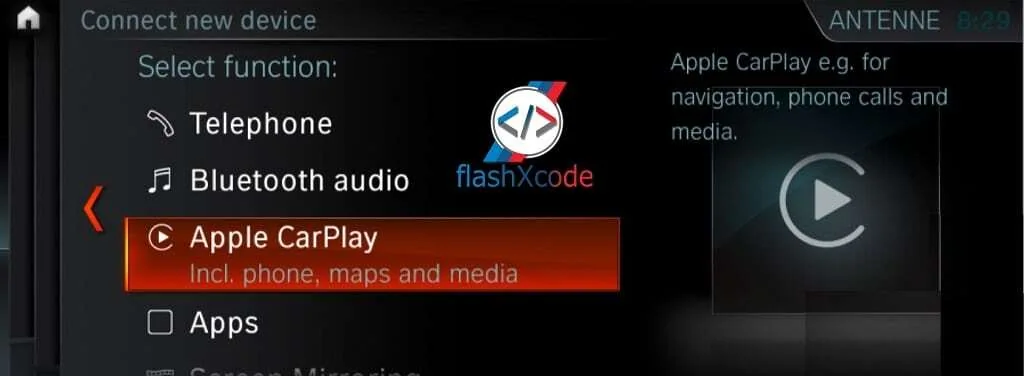
Apple CarPlay under Connect new device
Save the code you received. You need it if you ever want to restore your old FSC codes.
Next stepHow to connect your iPhone to CarPlay