
CarPlay Activation Procedure for EnavEVO units
Activate Apple CarPlay yourself with Feature Installer and the code you received from us, then let the car go to sleep for 15 minutes.
Before you start
- A Windows laptop connected to the internet and to the car with an ENET cable
- The activation code you received from FlashXCode (format XXXXX-XXXXX)
- About 25 minutes, including 15 minutes for the car to sleep
-
Download and start Feature Installer
Connect your laptop to the internet, download Feature Installer, then start it.
Download Feature Installer -
Activate CarPlay
After you click Start, the procedure finishes in 1–2 minutes, with a few reboots of the unit.
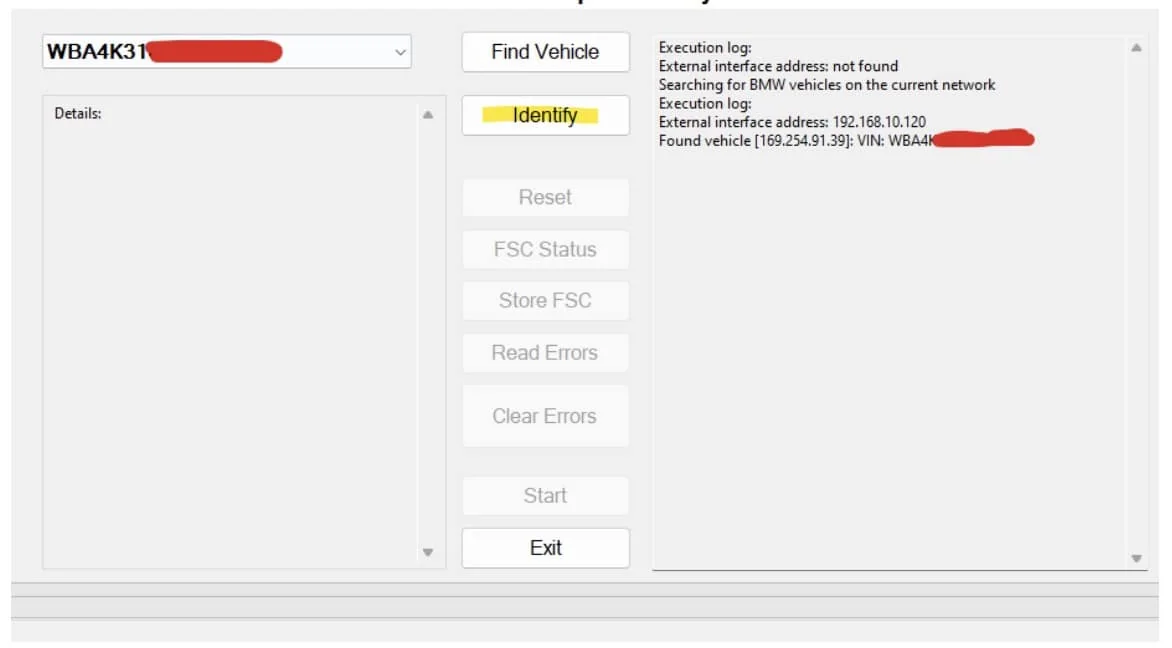
2.1Click Identify 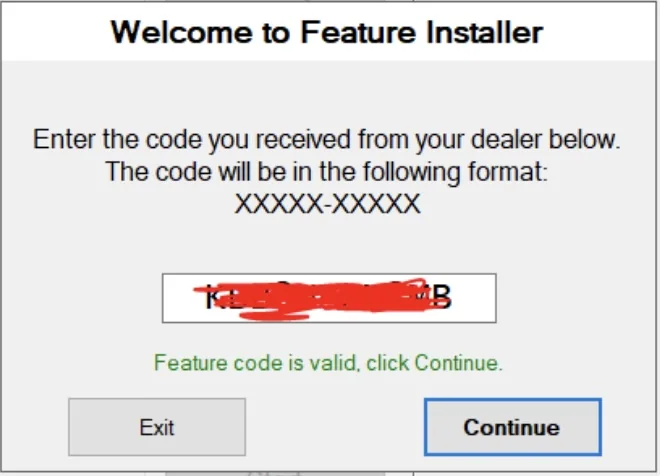
2.2Enter your code, click Continue and wait until the program reads your unit 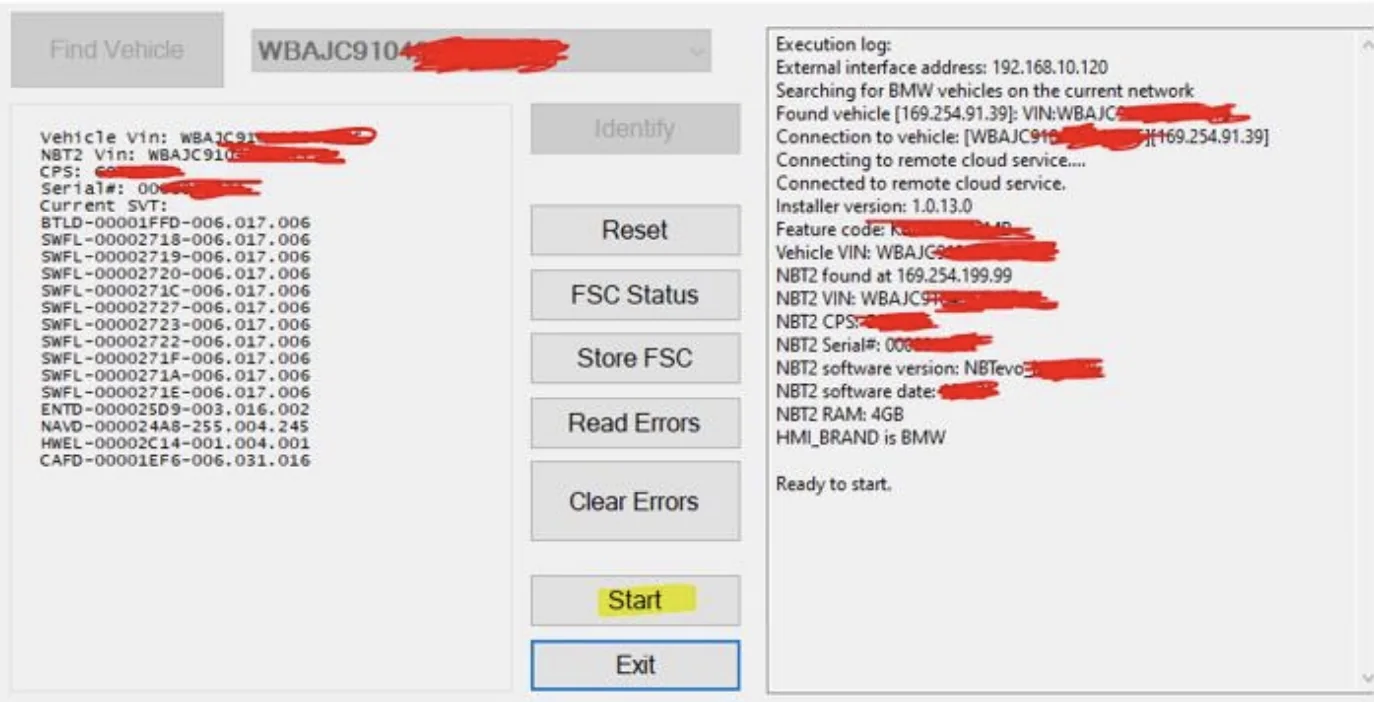
2.3Click Start -
Let the car go to sleep
EnavEVO units finish the activation while the car sleeps:
- Remove the ENET cable from the OBD port and the charger from the battery, if any
- Turn off the engine or switch off the ignition
- Close all doors and windows
- Get out of the car
- Lock the car with the key
- Step at least 4–5 metres away from the car
- Wait 15 minutes for the car to go to sleep
-
Check for CarPlay
After the 15 minutes, on the car display go to Communication › Manage mobile devices › Connect new device. Apple CarPlay is now in the list. Enjoy your CarPlay, you deserve it!
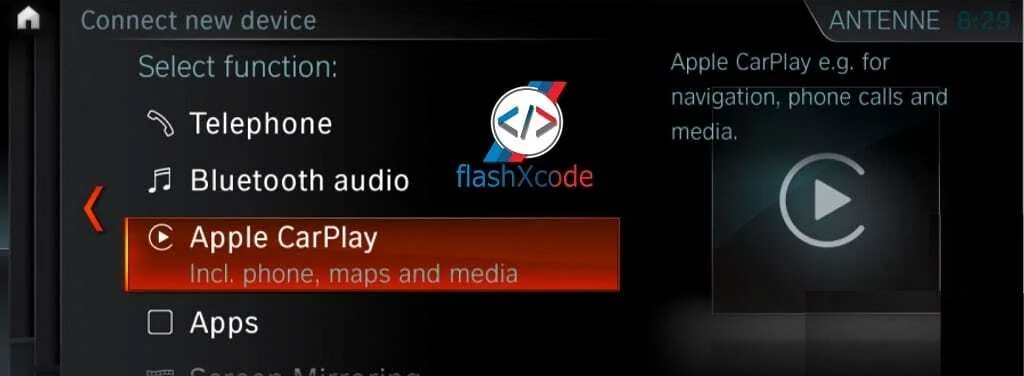
Apple CarPlay under Connect new device