At a glance
- MGU Region Change + CarPlay + Android Auto + Lifetime maps Update
If your Bimmer has an MGU unit, the activation is done remotely via TeamViewer using an ENET cable.
Sign in or create an account to access orders, downloads and wallet.
 FlashXCode
Explore our automotive software services for BMW, MINI, Rolls-Royce and Toyota Supra.
Browse the catalog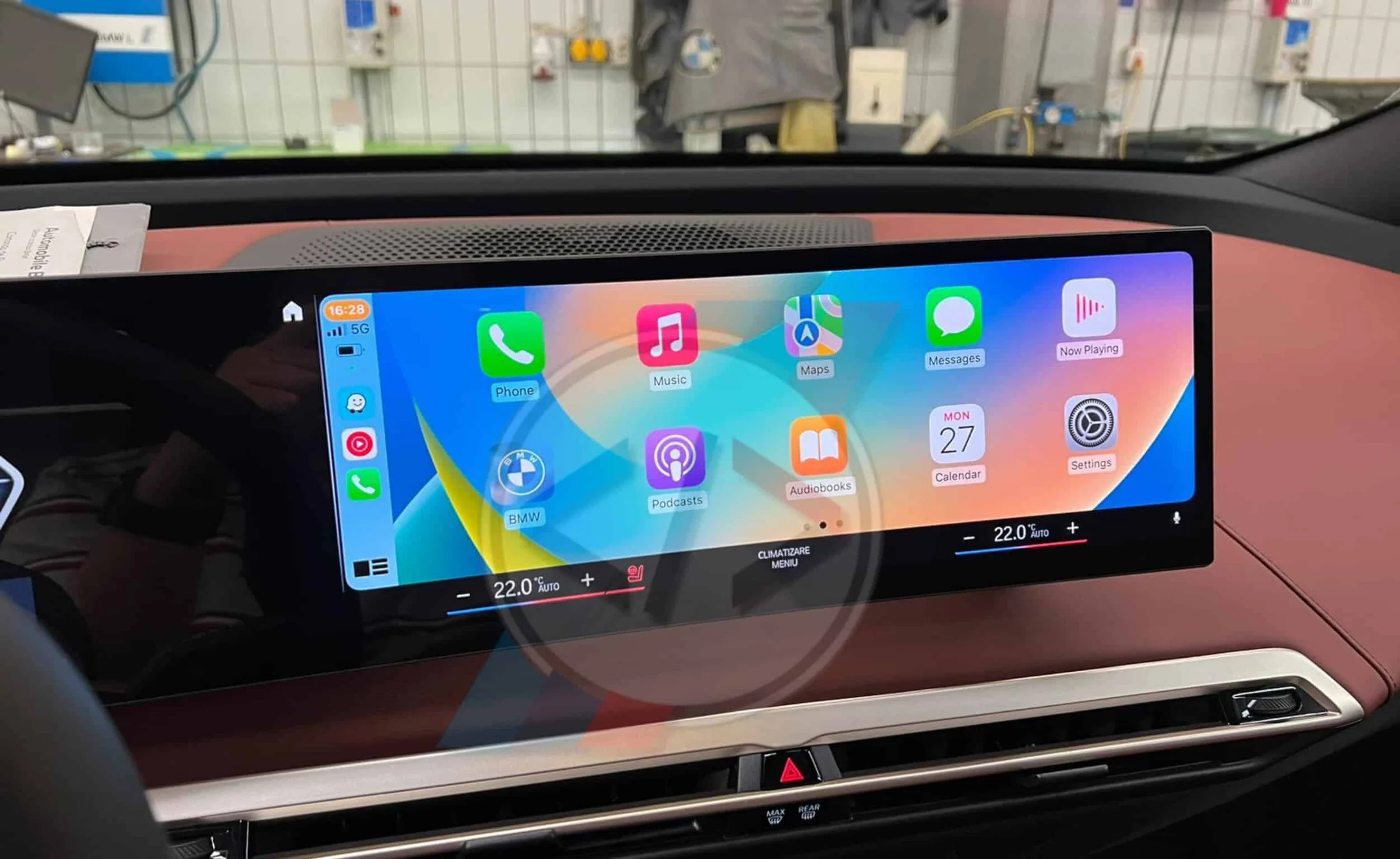
CarPlay & Android AutoDigital download
From €0.00
If your Bimmer has an MGU unit, the activation is done remotely via TeamViewer using an ENET cable. A must-have update, for a smoother, modern iDrive experience.
If your Bimmer has an MGU unit, the activation is done remotely via TeamViewer using an ENET cable.
•
Install TeamViewer – Download and install the full desktop client from teamviewer.com.
•
Schedule a session – Contact us via WhatsApp or email to book your activation slot.
•
Remote connection – We connect to your laptop remotely and prepare the necessary upgrade files.
•
Connect your laptop – Use a Windows 8/10/11 laptop with ENET cable (USB-C adapters accepted).
•
Power the car – Attach a battery charger or stabilizer to keep your car powered during the process.
•
Start the process – The patch takes between 5 minutes and 1 hour, depending on your unit.
•
FSC Injection – We inject FSC codes and activate Maps, CarPlay, and Android Auto.
•
Error check – All system errors are cleared.
•
Testing – Verify CarPlay and all features work correctly.
•
•
Windows 8, 10, or 11 laptop (min. 4GB RAM, 8GB recommended).
•
ENET cable (buy online or DIY – How to build one).
•
Do not use USB 2.0 adapters – only USB-C is accepted.
•
At least 20GB free space on C:\ drive (SSD recommended).
•
Admin rights on your laptop.
•
Stable Wi-Fi/internet connection.
•
Battery stabilizer or jumper cables for safe installation.
•
TeamViewer full desktop client installed (latest version recommended).
Important Notes
•
•
No refunds if your unit is not compatible. Always confirm with us first.
Our software is carefully tested before release. However:
•
You use it at your own risk.
•
In rare cases, upgrades may fail and the unit could stop working.
•
We cannot provide refunds for failed upgrades.
•
We always assist you step-by-step to minimize risks.
5.02 reviews
Good Job!
Absolutely the best service, money well spent. Thanks for the great service all is working as expected and more.