

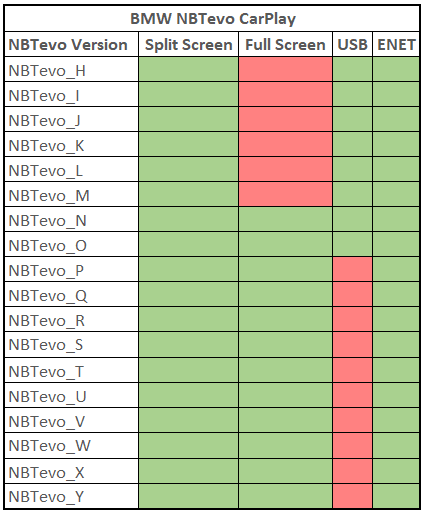
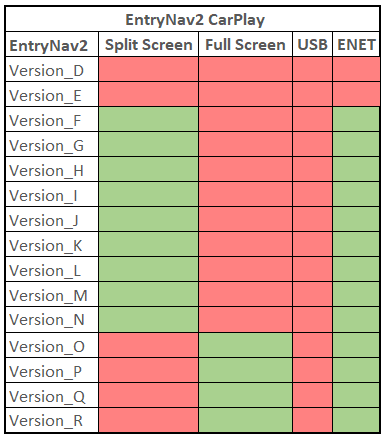
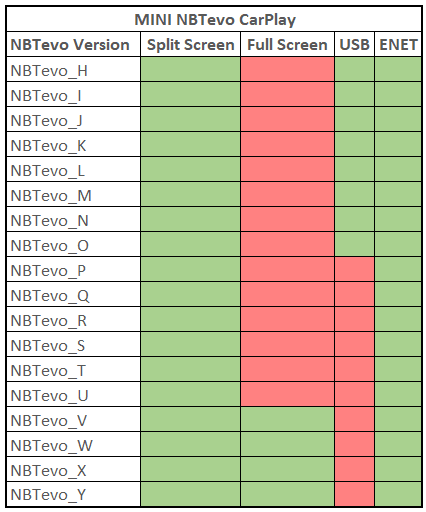
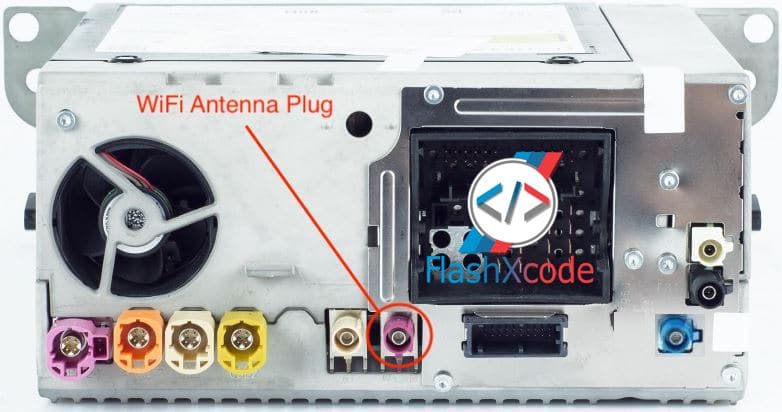

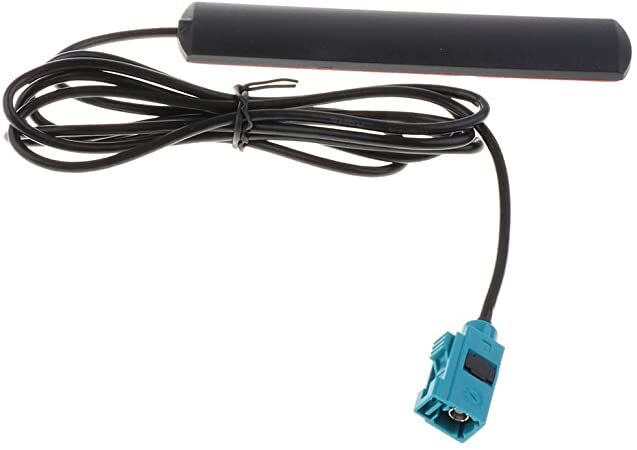
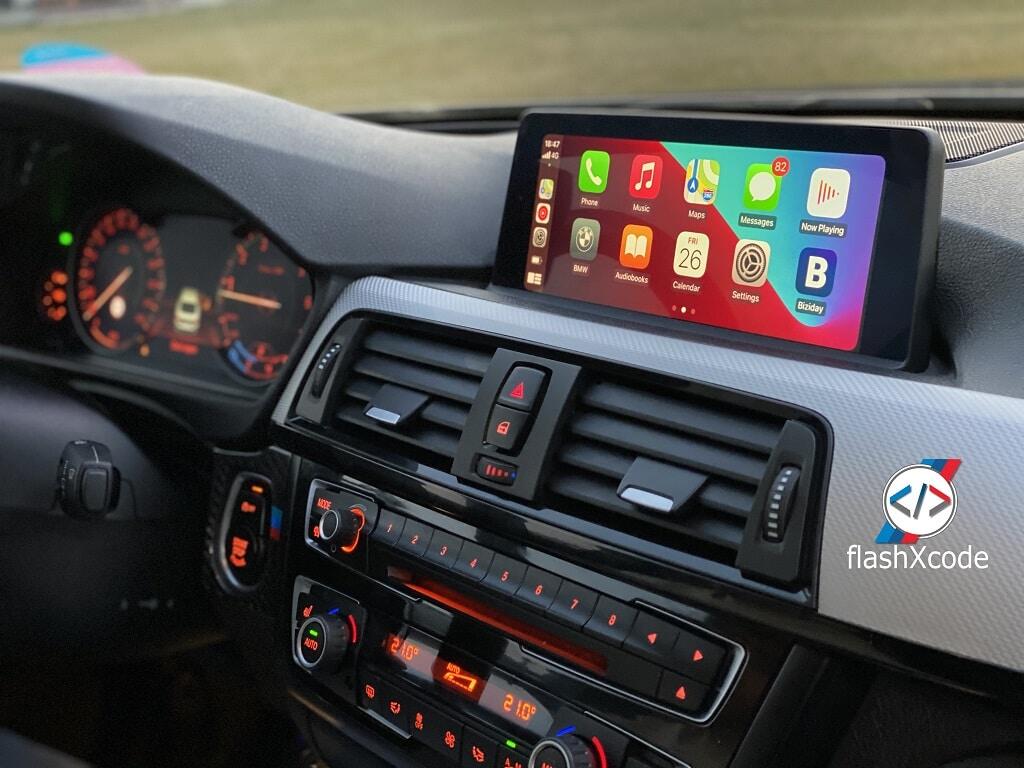


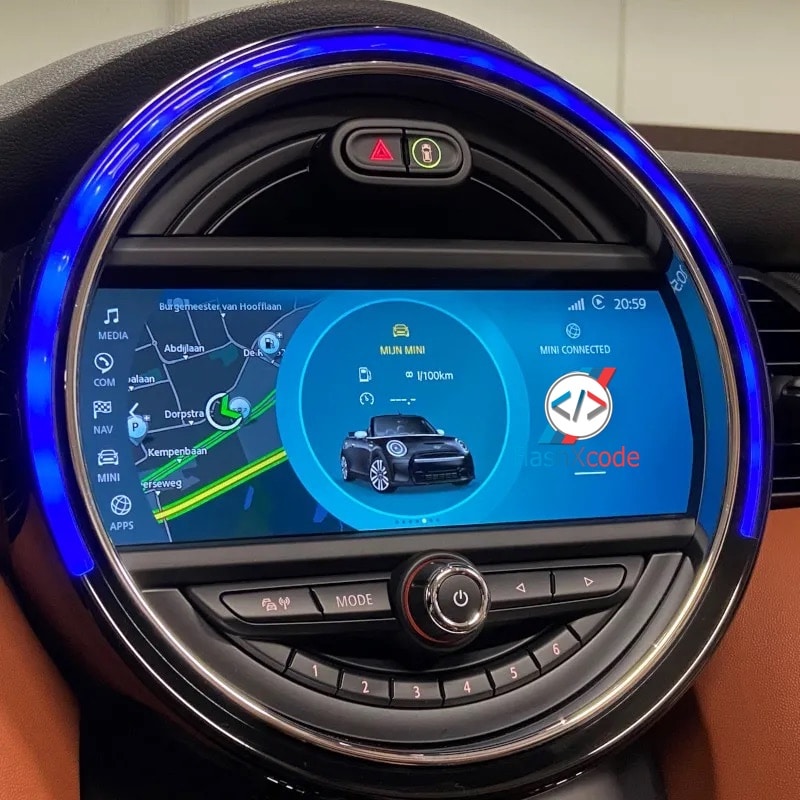

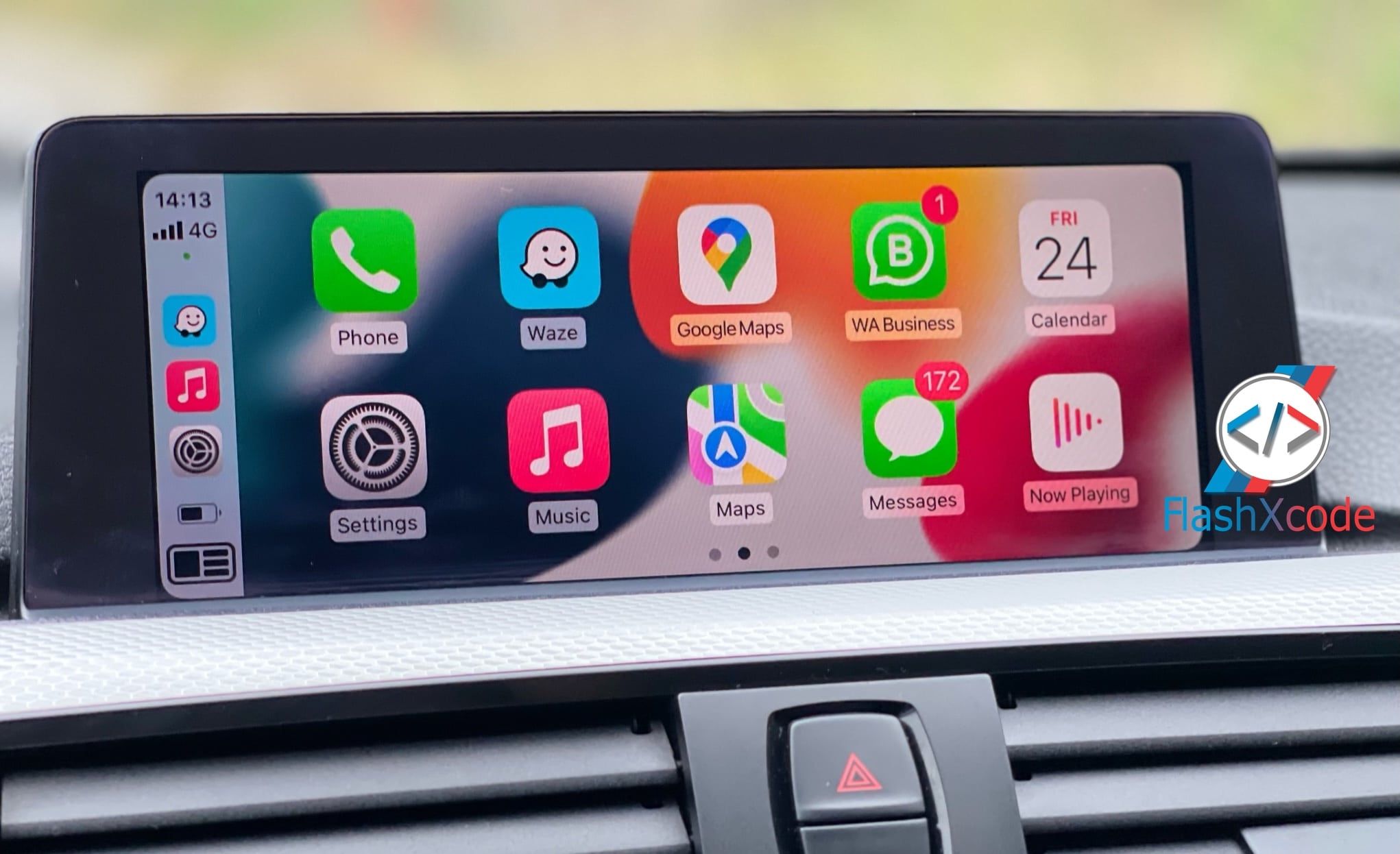



with CarPlay Full Screen
We are not just upgrading your unit, we are customizing it!
100% positive feedback
1. Via USB Stick : After you purchase this we will send you the activation files and procedure through email.
You need to use a FAT32 formatted USB. Then you plug it in to the USB port located in the arm rest. That’s it!
You can do it yourself by downloading the procedure:
2. Remote Activation via ENET Cable : We will connect to your laptop and activate Apple CarPlay for you.
Easy and really simple to do, no technical knowledge required at all.
For remote coding, you require ENET cable and Windows laptop (Check requirements below).
You can do it yourself by downloading the procedure:
Check your current Map and iDrive version:
Go to Navigation -> Scroll down to Settings -> Select Position & Version -> Select Version Information
Check your current Software version:
Select My Vehicle -> iDrive settings -> Software update -> Show current version
Road Map “Region” EVO = NBTevo unit
Road Map “Region” WAY= EntryNav2 unit
Your version doesn’t support Full Screen Carplay?
Upgrade Now!
Your version doesn’t support Full Screen Carplay?
Upgrade Now!
Your version doesn’t support Full Screen Carplay?
Upgrade Now!
Your version doesn’t support Full Screen Carplay?
Upgrade Now!
Steps:
1. After you place the order, you need to go to your Account -> Downloads , download and unzip on desktop the files needed for upgrade.
2. Download TeamViewerFull Desktop Client, from teamvier.com and install it! You can ping me on WhatsApp or Email to schedule a booking.
3. We will connect remotely on your computer and install the upgrade files (E-Sys, psdzdata etc.)
4. Connect a Windows 8,10,11 laptop to the car through an ENET Cable . If your laptop doesn’t have an ethernet plug, you can use an USB 3.0 or USB-C Adaptor
5. Plug a battery charger for the car’s battery.
6. We will start the flash (upgrade) – It will take 45 minutes
7. After flash (upgrade) is finish then we will inject the FSC and activate maps and CarPlay
8. We will clear all the car errors
9. Test CarPlay and everything else.
10. Leave review (optional) 🙂
Requirements. You need :
– Laptop – Windows 8, 10 or 11.
– Laptop RAM : minimum 4GB – recommended 8GB or higher.
– Files– After purchase, go to “My Account -> Downloads” and you can download the required files needed for the upgrade process.
– ENET Cable – You need to buy it online or do it yourself. Click here how : DIY ENET Cable Build
– DO NOT use Ethernet to USB 2.0 Adapters. Only USB-C is accepted.
– Windows C drive free space 20GB (SSD recommended)
– Power Stabilizer for the car battery, or Jumper Cables with additional vehicle.
– Strong Wi-Fi/Internet Connection – This ensures that the TeamViewer connection to your laptop is stable.
We will connect remotely on your laptop and we will do the flash for you. You just sit back and relax!
Reach out NOW and let’s find the right solution for you!
At FlashXCode, we pride ourselves on delivering top-notch services that exceed our customers’ expectations.
But don’t just take our word for it—here’s what some of our satisfied clients have to say:
Toys and Joy, SRL
I couldn’t be happier with the service I received from FlashXCode.
The team was professional, efficient, and delivered exactly what I needed. Highly recommend!
Legal Partners
FlashXCode went above and beyond to ensure my project was a success.
Their attention to detail and commitment to quality is unmatched.
Confidential
From start to finish, the experience with FlashXCode was outstanding.
The customer support was always available and ready to help with any questions I had
Golf Gloves
I’ve used FlashXCode for multiple projects and have always been highly satisfied with the results.
They truly understand their clients’ needs and deliver exceptional work.
NBT, NBTevo, EnavEvo, EntryEvo and MGU ( Bimmer, Supra, RR and MINI)
Our services reach 47 countries, empowering businesses and people globally
Our top priority is the customer experience
Building customer success through knowledge, dedication, and experience
| Cookie | Duration | Description |
|---|---|---|
| cookielawinfo-checkbox-analytics | 11 months | This cookie is set by GDPR Cookie Consent plugin. The cookie is used to store the user consent for the cookies in the category "Analytics". |
| cookielawinfo-checkbox-functional | 11 months | The cookie is set by GDPR cookie consent to record the user consent for the cookies in the category "Functional". |
| cookielawinfo-checkbox-necessary | 11 months | This cookie is set by GDPR Cookie Consent plugin. The cookies is used to store the user consent for the cookies in the category "Necessary". |
| cookielawinfo-checkbox-others | 11 months | This cookie is set by GDPR Cookie Consent plugin. The cookie is used to store the user consent for the cookies in the category "Other. |
| cookielawinfo-checkbox-performance | 11 months | This cookie is set by GDPR Cookie Consent plugin. The cookie is used to store the user consent for the cookies in the category "Performance". |
| viewed_cookie_policy | 11 months | The cookie is set by the GDPR Cookie Consent plugin and is used to store whether or not user has consented to the use of cookies. It does not store any personal data. |
Thank you for choosing FlashXCode!